Faxing Medical Records and Prescriptions: Discovering a Better Solution

Thousands of medical professionals working in the healthcare sector and associated industries rely on fax machines to send documents and files. But these old-fashioned machines aren’t optimised for the modern world. eFax explains why there is a better solution

Article overview:

Faxing is essential to the healthcare industry, providing a myriad of benefits that you need to be taking advantage of. But physical fax machines are proving to be a problem in the 21st century. Physical fax machines present a real risk to data protection and GDPR compliance, including:
  • Allowing unauthorised access to paper documents
  • The accidental sharing of confidential information
  • A lack of security protocols or encryption
  • Creating a weakness in your IT systems allowing hackers to take control
  • A potential for paper files to go missing or be stolen

medical-records-and-prescriptions

The Problems Facing Healthcare Right Now

Risks posed by physical fax machines are not just potential disasters. Recent reports have displayed that they can and do regularly cause data breaches and other problems.

The physical fax machine also has other problems besides being a risk to data security compliance when it comes to patient data transmission and sharing. These included:

  • Excessive costs, such as replacements, repairs and resources required to run them
  • Draining staff hours through inefficient practices, including having to fax large files
  • Only being able to receive important fax documents via a physical fax machine, reducing the ability to work remotely or remain mobile

Discovering the Cloud-Faxing Solution

Online cloud faxing provides healthcare organisations with a new method of sending and receiving fax without the need for a physical fax machine. You can maintain vital communication practices and carry on seeing the benefits of faxing documents, all on a digital format.

The advantages of moving to online cloud faxing include:

Increased digital security and encryptions

  • Higher levels of GDPR compliance through the removal of paper risk
  • A reduction in the use of resources and more cost-effective practices
  • An improvement in staff efficiency and the ability to fax remotely
  • A step towards a paperless work environment
  • Strong access controls and the removal of potential unauthorised file viewing
  • A centralised management system for quick access to important files

You can sign up to eFax quickly and easily. Access is immediate, which means your healthcare organisation can experience better faxing solutions and improved security right away.

Learn More! Read the Full Story Below

Fax is a staple of the medical sector, but the physical fax machine is becoming outdated. Nearly 9,000 fax machine units exist within the NHS alone and that doesn’t include associated private firms, such as pharmaceutical companies, private practices, chemists and other related healthcare organisations. There is no escaping the fact that faxing is a major part of the British medical community, but as the world changes and industry evolves, so too must the method of sending a fax.

We all know something needs to change, but it isn’t the fax that has to go.

Supporting the Medical Profession’s Fax Evolution

As you know, fax is essential to the healthcare industry. When faxing medical records, both sender and receiver can achieve certain benefits unattainable through other platforms of data transmission. For example, fax remains the best way to send a legally binding document immediately, as signatures sent through other digital processes, such as email, are not usually admissible in places like a court of law. When it comes to signing off on important medical documents, acquiring prescriptions or filing order forms, a legally binding signature is essential. Fax also provides immediate opportunities for physical file transmission, which is another vital tool in the fast-paced world of healthcare. The convenience of the fax as it relates to the medical industry cannot be understated. But, while these advantages make faxing invaluable to the medical sector, you’ve still likely seen many calls for upgrades to NHS IT systems, an end to fax machine reliance and for trusts to ‘axe the fax’. As the calls come for the end of the fax machine, it’s essential that healthcare professionals like you, are supported to find an alternative solution.

Looking for support in developing your fax technology? Discover exactly how eFax can support your healthcare organisation with our secure online fax solutions for healthcare professionals.

The Problem with Faxing Medical Records through Fax Machines

Fax machines present a number of disadvantages when it comes to the transmission of patient records and other medical files. These include:
  • Slow and Difficult – Sending large files, in particular, is a major constraint on time and resources. When you have massive amounts of paper to submit, sending it through a fax machine absorbs large amounts of time and creates other awkward problems, such as the potential for accidentally missing vital pages due to the sheer quantity being sent.
  • Not Cost-Effective – Fax machines are costly. They require toner and ink, paper, repairs and replacements. They also take time to use, which results in loss of working hours over long periods of time. The total hours absorbed through simply waiting for paper to be fed into a machine, waiting for a series of documents to be printed, and filing the fax afterwards is all time that you could invest in more important tasks.
  • Security Flaws – Physical fax machines are old and flawed technology. Recent discoveries of security issues, such as the faxploit, demonstrate how units are simply lagging too far behind modern systems to be a viable part of 21st-century IT practice.
  • Data Breaches – Patient data is of huge concern in the modern era. The NHS faced a number of hacks and cyber attacks in previous years and, with increasing pressure from European Parliament, thanks to GDPR, you need to be sure your patient records are secure. Physical fax machines are not effective methods of sending or receiving patient data securely and are a risk to proper data compliance. Issues include the potential for documents to be left out on the side following transmission if they aren’t picked up by authorised parties immediately, as well as misdialed numbers resulting in faxed records being sent to inappropriate parties.

An Example to Think About

A few years ago, in a perfect example of what is known in the fax machine world as the “fat finger problem,” a report outlined how a medical practice accidentally sent patient records to that person’s employer, instead of their new healthcare provider. It was a simple mistake, one that anyone could make in the fast-paced and complex environment of healthcare. The situation occurred after a misdialed fax number, but the result was sensitive patient data being submitted to an unauthorised party. Not only was this a breach of data protection, but it also led to claims of negligence and backlash from the unhappy patient.

Such breaches in 2018 present even more significant problems for medical practices, thanks to tightening laws such as GDPR. This demonstration of just how easy it is to break data protection protocols through the use of physical fax machines highlights exactly why the technology needs to be removed from the medical sector. But if you get rid of your physical fax machine, what options do you have?

The answer is online cloud faxing.

What Is Online Faxing and How Can It Be Used in the Healthcare Sector?

Online cloud faxing presents a new way of faxing medical records and other sensitive documents. It is to fax what email is to snail-mail: an evolution of the process that takes the benefits and enhances them with new features and opportunities.

Online cloud fax works by allowing for the transmission of fax documents through a digital platform. eFax software enables files to be transferred via a cloud server. You can both send and receive faxed documents, and it is compatible with other cloud-faxing software as well as fax machines. This means you can send a document from your smartphone to an NHS fax machine, just as you would if you were using your own physical fax machine, and vice-versa. While you experience the benefits of new technology, you are still able to communicate with others using standard fax machine units.

Documents can either be sent as computer files, if they exist in the digital space already, or they can be uploaded simply by capturing them with the camera of a smart device. Documents can then be signed using touchscreen technology and date-marked to ensure authenticity and legal compliance. Online cloud faxing provides all the functionality of faxing, without the need for an actual fax machine.

However, it also does much more than that.

The Benefits of Faxing Medical Records through Online Cloud Faxing

The evolution from the physical fax machine to online cloud faxing has resulted in numerous improvements to the standard faxing practice. This means that many of the disadvantages of physical fax machines have been eliminated and a number of new advantages have been achieved. These include:

  • Sending Multiple Pages Becomes Easy – Instead of having to submit page-by-page, large files can be uploaded as full documents and transmitted as a single attachment, removing the need for time-consuming tasks to be carried out.
  • Faxing Is Now Secure – Online cloud faxing negates a number of security issues. Files are sent through encrypted channels using the latest security protocols; passwords and logins prevent unauthorised access; documents are never left where anyone can view them and files are transmitted to pre-approved contacts, removing the chance of misdialing.
  • Remote Faxing Is Possible – As eFax software is available online using smart devices, the faxing of medical records and other healthcare documents can be done on mobile, allowing you to work, operate and fax remotely.
  • Become Paperless – In the coming years, the healthcare sector is likely to experience a massive push for paperless operation as the NHS forges forward with its paperless 2020 campaign. Online faxing is a totally paperless system that works towards these goals and helps medical professionals achieve digital transformation.
  • Reduce Operating Costs – While fax machines require numerous resources that quickly escalate costs, eFax online faxing doesn’t need any such investment. For just £11 per month, you can achieve universal faxing capabilities, without breaking the bank.
  • Find Faxes Fast – eFax’s centralised management system stores and maintains all fax documents you send and receive. If you ever need to refer back to important fax documentation, you’ll be safe in the knowledge it is easily accessible through our service.
  • Large File Transfer Becomes Easy – eFax’s large file transfer feature allows you to send up to 3GB of data securely, recipients get an email notification which allows them to go to a secure site to download the file, so standing beside the physical fax machine to send a 200+ page patient file becomes a thing of the past

How to Establish Online Faxing for Your Medical Practice, Organisation or Business

You can adopt online faxing with minimal effort. eFax’s specially designed software is made to be easily integrated into current IT systems, without the need for any new hardware or the replacement of equipment. eFax Corporate is also Level 3 of the NHS Digital IG Toolkit assessment so you can be comfortable it meets your security needs. So how does it work?

The process is simple:

  1. Sign up to eFax Services for one of our standard subscriptions or request a call back if you need more advanced features, the centralized administration tool or our API solution eFax developer — You can get a free trial to our software. After that, it’s a monthly subscription starting at just £11 per month with more options available depending on how many numbers or pages you need to send.
  2. Establish Your Number – either transfer your existing numbers or choose a new fax number. Don’t worry: any and all fax numbers you currently use can be easily ported over to your eFax digital number, meaning you don’t need to change anything when it comes to internal or external communications.
  3. Download Our mobile App – The eFax app is our bespoke app, which allows for the sending and receiving of fax. Download it to your iOS and Android mobile or tablet to get started.
  4. Start Faxing! – That’s it. You can start faxing medical records, receiving prescription orders and much more. In just a few moments, you’ve moved into the digital age, ditched those harmful physical fax machine practices and can now enjoy the benefits of online faxing.

It really is that simple.

Sign up with eFax today and experience the benefits we can have for your healthcare practice, trust or organisation! There are no commitments, no long-term contracts and you can cancel at any time during your free trial without paying a penny. Get immediate access to our range of fax-enhancing functionality now!

GOING GREEN: Simple IT Solutions to Becoming a Paperless Organisation | eFax Corporate

It wasn’t that long ago that the idea of businesses going green or paperless seemed like a concept for only the most forward thinking of companies. In fact, many of these early adopters leveraged it by touting their green efforts in marketing and PR.

These days, the idea of companies going green isn’t necessarily headline-worthy. This could be misinterpreted that it was simply a passing fad. But nothing could be further from the truth. In fact, the reason these efforts aren’t reported as much in the news is because it has become an expected part of doing business.

Globally recognised organisations such as Dell, Starbucks, Apple, DuPont, Facebook, eBay, Google, even Coca Cola, have taken major strides in eco-friendly and sustainable business practices. This is partially due to social responsibility, but it’s also a strategic way to remain relevant in the future business environment. Smart companies are seeking more innovative methods of promoting eco-friendly environments by integrating paperless practices into their operations

Learn more about online faxing or talk to us about your needs.

And yet, you don’t have to be a major conglomerate to make a difference in the environment while reaping the benefits of going green and paperless, most notably in cost-savings. Let’s take a look at some of the simplest ways your IT department can help make the transition.

1). Use shared drives for internal documents

If collaboration is a necessity, a paperless office can greatly improve it. Powerful tools like Google Docs and Microsoft Office 365 make on-screen collaboration possible by allowing multiple people to work on a shared document simultaneously, even chat with colleagues who are viewing the same document at the same time. This avoids your staff printing ten different versions of the same document, which is a wasteful and expensive use of paper.

Basecamp is another popular system for document collaboration and sharing. It stores documents and conversations/emails by topic, but unlike Google Docs, it does not allow for two colleagues to simultaneously edit the same document.

2). Switch to cloud storage from filing cabinets

The Cloud is one of the biggest steps forward towards the paperless office, and its benefits are starting to make a significant impact on businesses around the world. One of the largest costs associated with paper is the printing and storage of copies. This involves regular spending on paper, ink, and the upkeep of office equipment. A paperless office eliminates these costs immediately. This also includes the costs of space required to store paper documents and the filing cabinets they’re stored in. Business owners must pay for larger office space to accommodate employees, offices, equipment—and enormous amounts of paper. Online data storage through sites such as KeepItSafeSugarSync and Dropbox makes it possible to quickly share large files, but more importantly, store them.

3). Don’t buy more computing power than is required

Minimising is simple. Only buy what you actually need. Let’s face it, the lion’s share of employees don’t require the fastest, biggest computer available. Word processing, email and browsing rarely require more than 1GB of RAM or an ultra-fast quad-core processor. Buy computers with the minimum required, while allowing for some future growth.

4). Don’t replace computers that are working fine

Does your company replace computers simply because they are considered old? Old is subjective. If they’re still in perfect working order, do you really need to replace them? And when you do, ensure that you choose computers that are designed to last.

5). Bigger isn’t always better

Unless there is a specific reason for a large computer, smaller ones use less materials to manufacture and are easier on our limited resources. Plus mini-servers and desktop PCs save desk and server rack space.

6). Eliminate computers that aren’t designed to be energy-efficient

Your typical desktop PC can use approximately 80W of electricity, not including the monitor and peripherals. However, the better designed energy-efficient computers use less than 10W. That’s a significant difference. Particularly since these savings add up in both emissions and running costs.

You can maximise these savings by using energy-saving software and settings on your computers.

7). Think paperless, think thin clients

A very simple yet effective approach to paperless IT is to switch from PCs to thin clients. Thin clients provide a similar user experience to PCs, but consume only a fraction of the energy.

A thin client is a more compact piece of computing technology that accesses data remotely through a connection to a server and brings a virtual desktop to the user. Sure, there was a time when these “dummy terminals” lagged far behind a traditional PC in terms of utility and functionality, but they have since evolved to be very competitive in terms of both usability and price.

These days, thin-client terminals have much better energy efficiency than traditional thick clients. They consume anywhere from 6 to 50 watts, far less than the 150 to 350 watts used by typical PCs, and this reduced power also decreases CO2 emissions.

In addition, because there is no hard drive and a limited microprocessor and memory requirements, sp there is less ecologically damaging waste. And with limited components, the price per thin client ends up being much less.

8). Switch to Cloud faxing

Turning off a fax machine means you risk receiving an important fax. This is why Energy Star concluded that fax machines are at the top of the list when it comes to energy consuming office equipment.

Carbon dioxide is created by an electrical connection. A single fax machine can consume around 321 kilowatt a year which annually emits almost 200 kg of CO2. Combine all of the fax machines in Europe and we’re looking at millions of kgs per year.

Then there is the issue of trees. A single half box of paper equals the destruction of a 15 year-old tree. Then there is the massive use of ink cartridges, which take 450 years to decompose in landfills. Not a pretty picture.

Fortunately, there is an extremely simple solution: Cloud faxing. Faxing through the Internet allows users to receive incoming faxes on a laptop, tablet or smartphone—from anywhere. This not only provides total mobility with faxing, it also enables users to choose which messages actually require paper copies. This will lead to a significant reduction in paper, ink and toner usage. Faxing through the web reduces paper consumption, electricity, as well as ink/toner.

For these reasons, many companies are already unplugging their fax machines and turning to Cloud fax services. Find out more about our eFax Corporate® solution.

Perhaps the most important takeaway here is that small actions can make a big impact. By adopting just one or two of these simple solutions, it can amount to significant changes to the environment and your company’s budget.

Learn more about moving your business faxing to the cloud by contacting us, sign up for a free trial, or receive a quote.

Faxing and GDPR Compliance | eFax Corporate

Taking the First Steps

Is your IT department ready to meet the compliance demands of the new EU General Data Protection Regulation (GDPR)?

As of 25 May 2018 the GDPR came into effect and this new regulation means that many organisations will be forced to change the way they collect, store, process, and protect the personally identifiable information (PII) of EU residents.

This includes, of course, PII transmitted by fax.

Learn more about online faxing or talk to us about your needs.

What’s At Stake

If your organisation is still using analog fax machines to share PII, there is a great deal at stake.

The new regulation is meant to ensure the ongoing confidentiality, integrity, availability, and resilience of the systems that process and serve personal data.

Companies sending and receiving paper faxes are at risk of not being able to demonstrate adequate security measures and audit trails since paper faxes are not logged with time-stamped delivery receipts, and are less capable of being readily located in a search.

But analog faxing represents only one vulnerability. Wherever gaps in security exist there is the risk of noncompliance and the threat of crippling consequence: Noncompliant organisations will face fines up to €20 million or 4% of annual global turnover, whichever is greater – not to mention the incalculable damage to brand image and customer relations.

GDPR: The Regs Get Tighter

By requiring companies to adopt new data-protection processes and controls to better protect the privacy rights of EU citizens, GDPR extends its regulatory reach well beyond the current EU Data Protection Directive to include:

  1. Increased Territorial ScopeThe GDPR can apply to companies established outside the EU, for example, if they are processing personal data of EU residents when offering them goods or services.
  2. Privacy by Design and DefaultThe GDPR IT infrastructure is required to include specific technical safeguards for the protection of European PII.
  3. Breach NotificationData controllers are required to alert affected data subjects within 72 hours of a data breach.
  4. ConsentCompanies that are relying on consent as the basis of processing personal data will need to ensure such consent meets the higher standards required under the GDPR.
  5. Data Protection OfficersCertain Companies will be required to designate a Data Protection Officer (DPO) to supervise compliance with the GDPR.
  6. Data Subject Access RightsThe GDPR enhances the rights of data subjects in relation to the processing of their personal information, including the right to be forgotten. Companies must respond to requests from data subjects exercising these rights within one month.
  7. Data Protection Impact AssessmentsCompanies must conduct data-protection impact assessments to assess the risks associated with its processing activities and what steps in can take to mitigate such risk.

Implementing Appropriate Measures

The new regulation is meant to update data protection standards to fit today’s technology while remaining general enough to protect the fundamental rights of individuals throughout future waves of innovation.

As a result, GDPR doesn’t offer a step-by-step process for achieving compliance with any of the law’s data-privacy principles.

Companies therefore need to review the personal data they process and the associated risks with their processing activities and implement appropriate technical and organizational measures taking account of state of the art.

What You Can Do

The best way to prepare for GDPR compliance is for your organisation to implement a solid data-protection strategy that guards against data loss of any kind, whether through malicious or accidental means.

In practical terms, this means two things:

1. Bringing your company into alignment with Payment Card Industry Data Security Standards (PCI-DSS).


2. Migrating your legacy fax infrastructure to a fully hosted cloud fax solution.

PCI-DSS

If your goal is GDPR compliance but you’re unsure where to start, a good first step is to bring your company into alignment with the Payment Card Industry Data Security Standards, or PCI-DSS.

PCI-DSS is the most widely accepted information-security standard for businesses that handle credit cards and have to protect against card fraud while also keeping a cardholder’s personal data secure.

A Cloud Fax Solution

Another step you can take immediately to advance you toward both PCI and GDPR compliance, and which won’t require any hardware purchase or extensive employee training, is to migrate your legacy fax infrastructure to a fully hosted cloud solution.

In-house fax servers (as well as stand-alone fax machines) pose inherent risks to data security and privacy by generating paper copies of customer PII, maintaining unencrypted records of PII on fax hard drives, and failing to maintain a complete audit trail or tight chain of custody around fax transmissions.

How the Right Cloud Fax Platform Can Help

A review of three key GDPR guidelines demonstrates how the right cloud fax solution can directly improve your compliance standing:

1. GDPR Article 25: Data Protection by Design and by Default

Privacy by design calls for the inclusion of data protection from the onset of the designing of systems.

The right cloud fax platform is already designed to meet such data-protection requirements, ensuring that your faxes will be sent, received, and stored according to technical and organisational best practices for security, accessibility, and compliance.

2. GPDR Articles 12-20: Rights of Data Subjects

The expanded rights of data subjects include the right to obtain from the data controller information as to whether personal data concerning them is being processed, where, and for what purpose, and to request their personal data to be deleted.

The right cloud fax platform will render the text of all documents fully searchable for speedy retrieval, plus generate full audit trails of faxes, including metadata, which can be used to show that appropriate measures have been taken.

3. GDPR Article 32: Security of Processing

This article requires organisations to implement appropriate security measures to protect personal data, and specifically references ‘encryption’ as a particular measure.

The right cloud fax platform will protect faxes in transit with TLS 1.2 encryption, and at rest with 256-bit AES, adhering to security best practices and compliance standards.

Conclusion

Born of the desire ‘to protect personal data and the fundamental right of human privacy,’ GDPR represents a new era of privacy regulation for businesses handling EU resident data.

Enterprises confronting GDPR compliance challenges would do well to immediately adopt the privacy standard represented by PCC-DSS.

Those using fax communications to share PII should further consider moving their legacy fax infrastructure to a proven cloud platform that will precisely time-stamp, centrally store, and automatically index inbound and outbound faxes to let organisations more readily demonstrate GDPR compliance.

For more information, to get a quote or set up a trial, please get in touch.

A Deep Dive – 3 Enterprise Fax Models and their Pros and Cons | eFax Corporate

Article overview:

The Types of Fax Solutions Available

Faxing remains an integral part of IT processes for a number of industries. Optimising transmission methods helps to improve workflow efficiency, reduces costs and can improve security. What solutions are available for your business?
  • Private Cloud — Manage your own physical or digital fax server behind internal firewalls. Private cloud faxing allows for in-house control and management of fax processes, but it often incurs high costs, doesn’t allow for effective scaling and can risk data protection compliance if not managed properly.
  • Hybrid Cloud — A combination of both internal servers and cloud-based backups, hybrid faxing enables enhanced productivity and reduces the chance of outages. However, it still maintains the same issues of private servers with the added problem of having to pay for both internal server upkeep and cloud server storage.
  • Cloud Faxing — Offering advanced security and compliance options, cheap storage facilities and remote access, cloud faxing allows businesses to adapt their processes with comprehensive transmission channels and flexible online portals that support growth. The primary issue facing cloud faxing is a reliance on the provider. Opting for a subpar service can result in poor performance, security issues and a lack of support.
Each method has benefits and drawbacks, so which should you opt for?

Online Cloud Faxing: The Ultimate Fax Solution?

Cloud faxing provides many of the advantages and infrastructure of both private and hybrid options while conveying its own benefits as well. Finding the right provider, such as eFax, ensures you avoid drawbacks while reaping the rewards of the platform.

Adapting your business faxing processes to eFax online solutions enables:

  • The introduction of tight security protocols
  • Support of rapid scalability
  • Elimination of resource-draining on-site hardware
  • An increase in workplace efficiency and the end of outages/signal problems
  • Remote access and one-stop document management.

Moving your current physical or online fax solutions to eFax services is simple. Sign up for our free trial today and experience of unlimited access to our cloud-faxing portal. No commitments, no contracts and immediate integration of advanced fax solutions.

Learn More! Read the Full Story Below

Relative to the many demands on today’s IT teams, spending capital, time and resources to maintain physical fax servers and infrastructure is not a high priority. But fax capability remains a business need because many established industries — such as legalhealthcarefinancial services and manufacturing — are dependent on the security, reliability and process integration of their fax infrastructure.

If you’re looking for the best fax server, there may be a better online faxing solution to meet your business needs. Read our guide to find out more.

Many of these organisations are facing some critical questions:

  • Is the business realising maximum efficiency and cost-effectiveness from your fax server solution?
  • If fax servers are at end of life, does it make sense to re-invest in building out a replacement?
  • Are there better, more cost-effective options available today?

The 3 Common Enterprise Fax Models

1.The “Private Cloud” Enterprise Solution

In the case of “Private Cloud” faxing, a company’s fax infrastructure is maintained entirely within its firewall. In this model, whether the business maintains a fax server in-house or a fax server running on a virtual machine, the IT group owns primary responsibility for maintaining, licensing, troubleshooting and upgrading this business’s fax infrastructure.

Pros

  • This method gives IT direct, centralised control over the fax infrastructure company-wide, a huge improvement over the de-centralised and harder- to-manage infrastructure built solely on desktop fax machines.
  • IT departments might feel more comfortable, from a security standpoint, when their faxes all run through a centralised, internally controlled platform within the network. Again, this represents an improvement over the unsecure desktop fax machine — where documents can be lost, viewed or picked up by an employee not authorised to read them increasing the risk of data breaches.
  • A hardware-based, onsite fax or software-based private cloud infrastructure requires significant upfront capital cost that can be amortised over many years.

Cons

  • Compared to other technologies, the on-premises server model can be cost-prohibitive for many firms. In addition to thousands of pounds upfront for every fax server, the infrastructure demands many less obvious costs — such as the fax cards to PSTN interface, and recurring costs such as software licensing, analogue fax lines, and even electricity costs to maintain the servers themselves.
  • To prevent unnecessary spend while not jeopardising critical needs, IT must accurately predict long-term volume and capacity needs at the outset and on an ongoing basis — such as monitoring usage trends and knowing when to scale up with more servers or upgrading to the latest server software versions, neither of which can be implemented quickly.

2. The “Hybrid Cloud” Enterprise Fax Solution

In theory, the Hybrid Cloud model for enterprise faxing combines the best of both worlds — allowing IT to maintain control through on-premises fax servers, but also using a cloud-based “backfill” component, for example, for failover, should your onsite fax infrastructure fail or have peak volume spikes, resulting in outages or busy signals. This is, by definition, a compromise from an economic and productivity perspective.

Pros

  • Hybrid Cloud faxing provides IT onsite control and visibility over its faxes company-wide, with on premises fax servers, while also allowing them to realise some of the advantages of a fax cloud service — like greater redundancy and higher system availability than their in-house fax servers alone might provide.
  • Like the Private Cloud (on-premises-only) model, the Hybrid Cloud infrastructure also leverages an enterprise’s existing, paid-for hardware.

Cons

  • The major weakness of the Hybrid model is that it might put an organisation in a position of double-paying for a single solution — the cloud component— that the business could outsource completely (with a true Cloud Fax model). That is, the business must continue to support its onsite fax server (remember all of those not-so-obvious costs, like maintenance agreements, dedicated fax lines, fax cards, and server farm electricity?) for a service it could fully outsource to the cloud for far less money.
  • The onsite server component of this model may increase risks of non-compliance or undermine the business’s fax security — because the fax servers may house protected information, potentially exposing vulnerabilities in security and fax “chain of custody”, if not properly secured.
  • Finally, from a performance perspective, could your enterprise reap the same high availability, redundancy, and scalability from a completely hosted solution vs. the ‘Hybrid’ approach? If so, could outsourcing also relieve your business or IT organisation of its existing fax infrastructure and maintenance burden so that they can focus on revenue-generating IT projects?

3. The Enterprise “Cloud Fax”

A Cloud Fax model is, technologically speaking, the most advanced enterprise fax solution — fully hosted offsite and requiring only an email address and Internet connection to send and receive faxes. The Cloud Fax model can provide many of the control and customisation features of both “Hybrid” and “Private” fax solutions — such as integration into Multifunction Printers and workflow integration – such as SAP or Electronic Patient Records systems with flexible APIs and enhanced Transport Layer Security (TLS) to protect sensitive data. Additionally, with the right vendor, the Cloud Fax model can provide rapid scaling ability — essentially a pay-as-you-go model.

Pros

  • Cloud Faxing represents a significant cost savings over the onsite-server model. It frees up IT resources to focus on higher-ROI projects, and enables your organisation to retire onsite fax hardware and eliminate licensing, telco lines and the related costs outlined earlier.
  • Because the service is cloud-based, a business can increase fax capacity quickly, cost-effectively, and at any time — it is essentially a “pay-as-you- go” model, as opposed to a server-based system where the choices are the binary “buy another fax server now,” or “don’t buy it now, and risk capacity — and business impacting — issues.”
  • A Cloud Fax solution can also increase fax security. The best-in-class online fax companies protect faxes using the most sophisticated methodologies — such as TLS encryption for transmitting faxes over the Internet, and they may also have “Heavy” Tier III and IV secure data centres, the best of which maintain SOC 2 or SSAE 16 Certifications to ensure customer data is protected 24/7/365 when in storage.

Cons

  • There are many options out there for Cloud Fax providers, and choosing the wrong partner can undermine the ability to realise all of the benefits of a Cloud Fax solution that drove the outsourcing decision in the first place. For example, a company that cannot support the needed fax capacity, or offer 24/7 support, or provide highly secure data centres and full infrastructure redundancy, or does not fully understand how to keep a business’s faxes secure and on the right side of federal regulators.
  • Fundamentally, a business should expect to receive equal or better value when outsourcing a core service to a third-party vendor. This is especially true when one considers Service Level Agreements (SLAs), reliability, security, scalability and integration. Skimping here exposes one to serious risk in the long term.

The key to your success, if outsourcing is the right call for your enterprise, is to ask the right questions and select the right cloud fax provider.

We’ve helped hundreds of large enterprises transition from fax servers to a cloud fax model. Talk to us about your needs today.

The Most Important Things to Know When Filling Out Your Tax Returns

With the UK’s paper tax return deadline on October 31st fast approaching, many people and businesses find themselves scrambling to get their affairs together in order to ensure that they will be tax compliant for the coming financial year.

While millions of Britons wait until the very last minute to send their tax returns every deadline day, this is not a recommended course of action. The old adage says, “Fail to plan, plan to fail” with good reason; a record 870,000 people missed the midnight cut-off point for filing their tax returns in the year 2015.

One of the main reasons for people missing out on a tax return deadline is that many are not aware that they are required to submit self-assessed returns before a specific date. To allay such confusion, we have put together the most important points that you need to know.

Who Has to Send Self-Assessed Tax Returns?

Income tax is generally deducted from employees’ wages, pensions and savings. While most pay their income tax automatically this way, those people and businesses which generate income in other ways must report such income via the self-assessment tax return process. As the tax year takes place from April 6th to April 5th, if you have done any of the following within the previous tax year, you will have to provide a self-assessed tax return before the deadline:
  • self-employed (you can claim back on a large number of business expenses)
  • you received more than £2,500 in untaxed income (e.g. the renting of properties)
  • your yearly income from savings and/or investments was worth over £10,000 before tax.
  • you profited from the sale of shares or assets such as a second home (i.e. a house or apartment which is not your primary place of residence)
  • you garnered an income of more than £10,000 (before tax) in shares
  • you acted as a company director (those who were directors of non-profits or charities, and did not receive any remuneration, neither monetary or benefits-in-kind, are exempt)
  • you and/or your partner’s income was over £50,000 and you paid Child Benefit.
  • you received taxable income of over £100,000.
  • you received income from abroad which was not taxed in its country of origin.
  • you lived abroad while receiving an income from the UK.
  • you acted as a trustee of a registered pension scheme or trust.
  • you received a P800 which stated that you did not pay enough tax during the previous tax year and said deficit has yet to be repaid voluntarily.
  • You started receiving a State Pension on or after the 6th of April, 2016 and it was your only source of income, but it exceeded your Personal Allowance.

Important Tax Return Deadlines

Different types of self-assessed tax returns need to be submitted by different dates. However, to avail of the self-assessment process, you will need to have registered for self-assessment before October 5th of this year. The following are the UK’s main self -assessment tax return deadlines:
  • Paper Tax Returns – October 31st, 2017 (midnight)
  • Online Tax Returns – January 31st, 2018 (midnight)
  • Owed Tax Payment Deadline – January 31st, 2018 (midnight)
  • Advance Payments Deadline – July 31st

What Penalties Are There for Late Tax Returns?

In the event where someone sends in their self-assessed tax returns after the deadline has passed, they will receive a fine of £100. The £100 fine is for those who submit their returns up to 3 months after the deadline has passed. Returns which are issued more than 3 months after the deadline are subject to further fines. In addition, late payment of fines will incur additional penalties. These can vary based on personal circumstances and can be appealed.

It is also worth noting that you may be subject to the above penalties if a partnership tax return is issued after the deadline.

What Personal Information You Need When Filling Out Tax Returns

When filing out any tax returns, it is always good practice to ensure that you have all relevant personal information to hand, as this will save time and prevent unnecessary stress when the deadline starts looming.

The following personal information is required when filling out a self-assessment tax return in the UK:

Employment Income:

All taxable wages (and non-state pension income) need to be declared. P60 forms which relate to current employment as well as P45 forms which relate to jobs which were left in the past financial year will be needed. It may also be necessary to provide a Form P2 PAYE (if applicable), payslips and bank statements from the taxable period as well.

Rental Income:

If you gain any income from the rental of properties, this will need to be fully disclosed as part of your self-assessed tax returns. In addition to income (i.e. rent), bank statements and letting agreements must be submitted. Expenses can also be submitted here, but will need to be separated in terms of type; repairs, replacements, home improvements etc.

Savings Income:

Any income brought about via savings interest will need to be declared. These must be noted in their pre-tax form (some savings schemes provide data with tax already deducted, so care should be taken to ensure that the correct monetary value is submitted).

Self-Employed Income:

Those who are self-employed will need to provide a complete summary of all business income and expenses, along with any relevant supporting documentation, such as receipts, sales invoices, bank statements, cash books and HP agreements.

Social Security Benefits:

Those who state received any benefits during the financial year will need to provide a letter from the DWP outlining taxable benefits (this includes state pensions). Those on Jobseekers Allowance will need to file a P60U form.

Capital Gains:

Contract notes pertaining to the purchasing and sale of capital gains, including shares and antiques, must be declared before the tax deadline as these are considered financial assets.

Additional Information:

The above list is not exhaustive, so additional information may be needed in some cases. Should your tax return be subjected to an enquiry, you may need to explain your income as well as certain lifestyle expenditure.

Among the additional information which you may be required to provide upon enquiry includes:

  • Documentation pertaining to loans (both made and received)
  • Documentation pertaining to cash gifts (made and received)
  • Records of betting / gambling wins.

Such records will need to be kept for at least 12 months after a self-assessed tax return is filed. However, in cases where fraud is suspected by the HMRC, records dating back as far as 20 years may be investigated.

How to Send Tax Returns with A Fax by Email Service

Due to the highly sensitive nature of the personal information which is sent as part of a tax return, the utmost care must be taken in terms of data protection and security. Having such important data falling into the wrong hands could result in serious repercussions, from a loss of privacy to identity theft.

With the above in mind, many are tentative when it comes to submitting such important information over email and traditional post. Fortunately, there is a safe and secure option available in the form of online faxing.

With eFax, your tax returns can be sent using confidential SSL and TLS protocols, meaning you get the security of faxing combined with the quick efficiency of email. This will ensure that your tax returns can be submitted in time for the October deadline.

If you register for a free eFax account today, you’ll be able to get your tax returns sent safely over a secure fax service in time for the upcoming deadline on October 31st.

5 Ways Your Business Can Benefit From The Cloud

If you’re involved in the management of everyday office IT, or even if you’re the end user, you’ll be very familiar with the term ‘the cloud’ or ‘cloud computing’. However, if you’re not 100% certain as to what the term ‘the cloud’ actually means, you’re not alone.

Research published by Citrix in 2012 confirmed that most Americans didn’t understand what was meant by ‘the cloud’ and 51% believed that stormy weather would probably interfere with its functionality. As recently as 2016, Dan Phillips, CEO of CloudHealth Technologies told Fox Business that “possibly as little as 10%” of people today truly understand what it is. Need a little refresher? We’re here to help!

What Is The Cloud?

If you use social media or store data online, you’ve made use of the cloud.

The cloud, or cloud computing, is a network of servers that are housed in an off-site location. Although linked together, each server performs a different function. Some provide cloud storage, while others provide a more specific service. It enables the delivery of all of the on-demand, internet-based computing resources and services that we use every day, often without thinking. Does your business backup saved documents online? Does it have access to a space where multiple people can collaborate on a single document? Does it process web payments by credit card, Paypal or similar? Does it access enterprise software applications such as CRM? All of these functions are carried out via the cloud.

So why has the cloud become so universally acclaimed in the realm of business and IT? There are multiple reasons. Here, we explore the five fundamental reasons to embrace cloud computing for your business:

1. Cost-Effective

If there’s one lesson that any business has to learn quickly, it’s how to make every investment count. Cloud-based services allow your company to make significant savings, while also future-proofing your IT infrastructure.

The most recent statistics from Statista indicate that business use of cloud computing in the UK reached 84% in 2015. Studies have highlighted cost savings as a primary driver of cloud adoption. The bottom line is, aside from giving you a technical advantage, cloud computing is proven to save you money.

Shedding hardware reduces IT costs. Embracing the cloud means that equipment like servers can be housed and managed off-site and the responsibility of ongoing maintenance can be moved to an outsourced provider, thus saving on man power and maintenance costs.

Businesses that move to this service also reap significant savings on their energy bills. The cost of running an office server can run into hundreds of pounds per year in electricity bills alone. Moving this energy-intensive equipment to another location could make a significant impact on the reduction of your monthly costs.

One of the greatest advantages of the cloud for businesses, particularly those with limited budgets, is the monthly subscription option. Rather than being forced to pay one large lump sum, you can spread your costs over 12 smaller monthly payments.

2. Work Flexibility

Cloud computing allows you to create a virtual office which is accessible from anywhere in the world, no matter the time of the day. This is particularly useful if your business has offices in other overseas locations or works with international clients.

This flexibility is especially appropriate for the modern workforce. Research by the Trade Union Congress revealed that the number of employees who say they usually work from home has increased by almost 20% over the past decade. Companies are increasingly recognising that allowing remote working as an option can have a significant impact on employee satisfaction levels while also going some way to reduce internal energy costs.

However, this level of flexibility is only possible when the suitable technical infrastructure is in place. By implementing cloud-based programs and file-sharing software, staff can work independently and easily when out of the office. Access to their virtual office is never more than a click away.

Equally, the cloud is essential for those who work in sales or who need to travel frequently for work. Apps such as the eFax app provide on-the-go-employees with easy access to saved documents, even allowing them to send, receive and mark up faxes.

3. Scalable to your Business Needs

The beauty of working with the cloud is that it can grow in line with your business. The majority of cloud-service providers offer flexible packages with a range of plans depending on your business needs and budget.

Rather than having to predict business growth or decline, you can simply scale up or down as needed. If you know that an upcoming project will require increased resources, there’s always the option to upgrade your plan and enjoy a new range of features.

4. Improved Security

Security and reliability are paramount when it comes to dealing with company or customer data, particularly with GDPR on the horizon. One of the main advantages of cloud computing is the level of security it can offer your business and customers.

In the past, businesses would have saved valuable data on hard drives, USBs or even floppy disks, if you care to take a trip back to the ‘80s and ‘90s! These storage devices carry the risk of getting lost, misplaced or stolen and accessed by unauthorised people. Traditionally, hard copies of all records would also have been stored for safe keeping. However, this method of data security isn’t in line with today’s best security practices.

Stolen computers can cost companies millions of pounds in lawsuit pay outs. You may remember how stolen laptops cost the NHS dearly, both in terms of data loss and its reputation. If you want to ensure maximum security for your company’s data, a cloud-service provider is the best option.

Cloud computing also gives you additional peace of mind, where you can be safe in the knowledge that your information is safely stored and accessible.

5. Increased Efficiency Levels

Finally, what’s often the clincher for those exploring the logistics of moving to the cloud is that it can be easily integrated with existing company software. This streamlined integration of services allows for better project management, as all changes or updates can be automatically synchronised to popular apps like Google Calendar or Office 365.

In terms of sales, all leads generated through social media or online web forms can be automatically populated into a Customer Relationship Management (CRM) tool. In addition, it’s possible to automatically sync any new contacts or emails into your CRM, ensuring your sales and marketing team always have the most up-to-date details.

Cloud Faxing & Cloud Storage with eFax

Fax is one of the most reliable and secure methods of communication for businesses today, but it comes with drawbacks. Fax machines are costly to run and it’s not hard to understand why when you consider the cost of paper, toner and ongoing maintenance, not to mention the detrimental impact on communication efficiency when compared with say, email.

However, eFax, hosting all the benefits of the cloud, provides the ultimate solution to all of this.

Cloud-faxing is the modern way to fax. Using a cloud-service provider like eFax, you’ll be able to send or receive faxes over the internet via your email account. Not only does it improve the efficiency, security and convenience of your communications, eFax also provides unlimited cloud storage, saving every message and document you send and receive free of charge. To see how internet faxing can benefit your business, why not sign up to a free trial or contact us to find out more.

Cloud Faxing for the Transport Industry | eFax Corporate

Is Your Legacy Fax Equipment Hampering Your Haulage Business?

A mobile business by definition, the transportation industry has long pioneered the use of mobile technology. Ironically, transport companies regularly find themselves relying on a form of technology which is not renowned for its mobility: faxing. If your haulage company is like the majority of logistics companies, your customers often require that operational documents are sent and received via fax. These documents include:
  • Purchase orders
  • Bills of lading
  • Acknowledgements
  • Shipping documents
  • Invoices
  • Proofs of delivery
  • Confirmations

This traditional paper-based method of communication has become outdated in today’s fast paced market where the slowing down of business processes inevitably affect the bottom line.

Looking toward the long-term profitability and efficiency of your company, here are a few of the ways in which traditional faxing can hinder your company’s growth.

3 Ways Paper Faxing Can Hinder Your Transport Business’s Growth

1. Stopping Mid-Journey to Send Faxes

Small transportation companies often find that after successfully completing a delivery, they are unable to secure a shipment placement for the return leg of the journey. Rather than returning empty-handed, they will often waste valuable time attempting to secure cargo which needs to be transported to the same destination as their haulage vehicle.

Other companies may place available shipments on load boards, but will only accept bids from transport companies through fax messages. This often requires drivers to waste time searching for a working fax machine in order to send the necessary documentation. As the haulage and transport business is an industry with strict deadlines and time-constraints, this extra step is an added and unnecessary burden.

2. Missed Faxes Lead to Missed Business Opportunities

A reliance on traditional faxing services often leads to missed messages, especially whilst working on the road without immediate access to a fax machine. However, missed faxes can also occur a lot closer to home.

A haulage company’s office can be a hectic environment and, with the coordination of hundreds of shipments taking place, mistakes can, and do happen – especially when there’s a reliance on traditional equipment such as fax machines. It is easy to miss faxed requests, important documents and rush orders.

Unless a transportation company’s office is fully staffed around the clock and the team is constantly keeping watch over incoming faxes, it is likely that some business opportunities may be missed, and run the risk of prospective clients taking their business to the first rival haulage and transportation company that responds to them.

3. Wasted Investment in an Unused Fax Infrastructure

IT staff at larger transportation companies generally spend too much time handling employees’ fax complaints, performing fax-server maintenance, upgrades, or other infrastructure work. This added burden often keeps them from focusing on higher priority IT initiatives.

Typical infrastructures may take the form of multiple fax machines, multifunction printers (MFP) or fax servers at each company location. In addition, the haulage company will need to factor in dedicated phone lines. Plus, upgrades and renewals of your fax infrastructure can be a costly proposition. If this scenario sounds familiar, take a look at how much your company’s current fax infrastructure is costing your business.

A cost analysis of how much a business is paying to maintain a traditional fax presence juxtaposed against actual usage often results in uncovering inefficient spending and a very high cost-per-fax ratio. Certainly, one of the largest issues associated with maintaining a traditional faxing infrastructure is that it’s an inflexible commitment.

When a transportation company finds itself working to capacity on a single fax server, they may have to invest in a new server, which can be expensive. This is likely to be a wasteful investment, as it is unlikely that the new server is going to be used anywhere close to its maximum capacity. See related post “Is it Time to Retire your Fax Server”.

Furthermore, if a transport company is expanding its operations, and plans to open a smaller satellite office, installing a dedicated phone line for a handful of staff may be a considerable financial outlay for what is only a small business benefit. Unfortunately, fax servers and dedicated phone lines are all-or-nothing commitments; even if these purchases go largely unused, which is both inefficient and costly.

The Disadvantages of Paper Faxing in the Transportation Industry

The cost of maintaining fax machines, along with consistently replacing paper, ink and toner, is an obvious ongoing expense. Servicing, troubleshooting and upgrading communications hardware is a costly and inconvenient form of expenditure.

However, traditional faxing can also greatly impact productivity. The wasted time spent by staff waiting by a fax machine while documents are sent, received and confirmed, could be much better spent on important tasks.

The Benefits of Cloud Faxing for Transportation Companies

Despite all the negativity typically associated with faxing services, there remains an option that is highly suited to businesses operating in the transport industry – cloud faxing. An ideal solution for any company that needs to use fax in their day-to-day operations. And the company which has logged the most miles in the industry is eFax Corporate.

eFax Corporate’s mobile-friendly business solution allows companies to send, receive, edit, view and sign faxes and all via email. By moving your company’s faxing online, a transport firm can make use of the benefits of faxing from the road, with absolutely no printing necessary.

With eFax Corporate, there is no more waiting around the office for delivery confirmation notices and, most importantly, no delays which could result in failed transmissions and lost business.

The convenience of online faxing also means that employees will be able to reply to time-sensitive messages with ease, as they’ll always have access to their email whether they’re in or out of the office.

eFax’s corporate solutions for transportation companies mean that any haulage team can now send or receive faxes by email, with the ability to reply immediately, via email, from virtually anywhere in the world.

Feel free to get in touch with us to discuss your faxing needs and provide you with more information on costs based on your existing fax usage.

Security Threats to the Real Estate Industry | eFax Corporate

The real estate industry is particularly susceptible to security breaches and hacking. And without the right security protocols and protected communication methods in place, a real estate agent’s clients’ personal information could be breached by unauthorised personnel either intentionally or unintentionally.

Real estate companies need to make sure that their communication systems are compliant with industry regulations as well as in line with security and privacy best practices.

Failure to do so could result in:

  • Corrective disciplinary action
  • Resolution agreements
  • Fines
  • Criminal penalties
  • Litigation

Community Fax Machines: A Security Threat

With traditional fax machines, confidential information can be leaked or compromised quite easily. In most offices, documents are regularly left lying on top of machines, where they can easily fall into the wrong hands.

Delayed faxes are often left unattended on the fax machine’s tray until someone comes along to retrieve them. Faxes that have been discarded in recycling bins can be fished out and stolen when no one is looking. And if a fax is inadvertently delivered to the wrong “in” box, it can easily become lost and confidential information revealed.

Consider the following scenario, an employee is about to use the company fax machine but notices a printed out confidential report containing a client’s sensitive financial data. In order to fax their document, they place the confidential report to the side, on top of other documents and papers, which get shuffled around throughout the day.

As a result, the client’s confidential documents are exposed, putting their customer confidentiality at risk. In offices with a standalone fax machine, data breaches like this occur with alarming frequency. With its fully exposed paper trays and open-end layout, it’s not possible to guarantee the security of sensitive data that comes through an office every day.

With this kind of legacy infrastructure in place, unauthorised personnel can gain access to private data and easily copy or scan this information. The real estate industry has long recognised this weakness and has actively encouraged businesses of all sizes to consider cloud faxing as an alternative to traditional fax.

Businesses that are not compliant with such security measures will need to ensure that their communication processes are brought into the 21st Century to avoid fines and penalties, or a PR disaster for the company.

Below are the top three benefits of cloud faxing in relation to the real estate industry.

1. Modernisation

Real estate agents handle a wide range of sensitive data such as inspection reports, credit checks, invoices, references, financial forms and tax information. Because of this, they risk severe repercussions if there is a security breach, and there are regulations that require the protection of this confidential information. As privacy regulations expand, real estate firms need to adapt and comply, adopting a safer, more secure method of sending, saving, and organising sensitive data. Non-compliance can result in a variety of penalties as well as legal proceedings, such as non-compliance hearings and other corrective procedures.

Many real estate businesses find themselves moving their aging analogue faxing infrastructure to a modern cloud faxing solution – but what does such technology mean for your business? And how can it be seamlessly integrated into your company’s current infrastructure? Like corporate email, cloud faxing is streamlined and easy-to-use.

In fact, making the switch to eFax Corporate couldn’t be simpler; the set-up process only takes a couple of minutes to complete and there’s no expensive hardware to purchase, lease or install.

2. Boost Company Responsiveness

Moving to a cloud fax solution offers real estate organisations many benefits. Not only is security and data privacy enhanced, staff responsiveness and productivity can also improve significantly.

From contracts, and loan applications, to high-resolution property pictures, online faxing means a real estate firm can send and receive information quickly and securely from anywhere. No more waiting in line, paper clogs or busy signals to deal with either. Instead, the real estate agency can enjoy seamless, hassle-free faxing.

With eFax Corporate, faxes are sent securely through email accounts as attachments using common file types such as .tif, .pdf and .efx. Learn more about how cloud faxing works. Confidential information can be sent securely and safely via any internet-enabled device via email.

This is especially convenient for real estate agents who spend a lot of time on the road at viewings or meetings. Traveling with smartphones, laptops or tablets means that, they can easily stay on top of their faxing needs, and close deals in a faster and more efficient manner.

3. Reducing Fax Costs for Real Estate Agents

Switching to a cloud faxing solution with eFax Corporate offers an immediate reduction in the costs, as you will eliminate the need to replenish ink, toner and printer paper. Instead, you can instantly save your fax documents to your computer.

Plus, reduced paper usage improves data security as it is less likely that confidential information will be left around the office. Cloud faxing has also been proven to cut costs in terms of hardware maintenance and reducing time needed for IT resources. The initial installation process for eFax Corporate is straightforward and, with the administrative controls being managed online, paper waste is reduced, with minimal IT involvement.

With this back-end administrative portal, any real estate company can easily add new fax numbers or new administrators as needed. Similar to email, most technical issues can be identified and fixed within the system, without requiring outside IT assistance.

If a technical issue occurs which cannot be easily rectified, the eFax Corporate customer care team can assist.

The Future of Real Estate Faxing

The humble fax machine has now been relegated to the history books and, while it served its purpose well in the past – enabling users to send data securely, it is now time for real estate agents to future-proof their faxing.

By signing up for eFax Corporate, real estate companies have the advantage of advanced TLS-encryption which will protect your data while in transit, and with 256-bit AES encryption, keeping your data secure while at rest too. As an additional layer of security, all faxes are instantly saved and stored for auditing purposes.

If the transmission of a document is ever questioned, the eFax Corporate account administrator has full access the real estate company’s fax history and will be able to quickly locate and track any sent or received faxes.

Summary

For the property industry and real estate agents in particular, cloud faxing is the natural progression of a company’s communication infrastructure, allowing confidential business transactions to be closed faster and more securely than before, while simultaneously ensuring that communications are compliant with the latest regulations.

Much like other industries, such as healthcare and financereal estate agents are responsible for fully protecting the sensitive information that passes through their hands. Failure to meet such requirements can result in liability for fines or worse if a security breach were to occur.

With cloud faxing, users are certain of regulatory compliance when they send or receive faxes. It is common knowledge that the real estate business is one of the most at-risk industries when it comes to security breaches.

Modern businesses need a modern solution to the challenges they face. This is where eFax Corporate comes into the equation. A cloud-based, paperless faxing solution can keep your organisation in check with legal regulations, cut costs, as well as increase overall staff productivity–both now and in the future.

Find out more about online faxing for estate agents or explore your faxing options with us by getting in touch.

Everything You Need to Know About Cloud Faxing in the Financial Sector | eFax Corporate

If you work in the financial sector and your responsibilities extend to your company’s IT operations, your colleagues probably ensure that you are kept up-to-date on their latest challenges with the company fax machine.

Here we explore the merits and pitfalls of fax and why cloud faxing is the go-to alternative for the finance industry.

Why Email Can’t Replace Fax

While scanning documents and attaching them to an email might appear to be the cost-effective solution to your colleagues’ tedious and frustrating encounters with the fax machine, in truth it introduces a much bigger problem: security. These days we see frequent headlines in the media regarding data breaches that have exposed consumer data on a significant scale. Clearly, email does not offer the same level of security as fax.

In a 2017 study by research firm IDC, titled ‘Fax Market Pulse’, fax users reported that document transmission security was the number one reason for using fax in their organisations. This concern for security is unsurprising given that a single security oversight can drive a business to the brink, whether that be through loss of customers or the destruction of a brand reputation that took years to establish. As long as email remains vulnerable to security breaches, it can never be a suitable replacement for fax in the financial sector.

Security Isn’t Enough for the Analogue Fax

While analogue faxing is indeed more secure than email, it doesn’t offer the same modern conveniences. One universally understood pain point with analogue faxing is simply the time it takes to send and receive documents.

Employees working in finance are used to queueing and waiting their turn to use the fax machine. Plus, they must deal with busy signals, entering recipient’s details, the transmission itself, and then standing around waiting for a confirmation page. This, of course, doesn’t include repeatedly replacing toner cartridges and restocking the paper supply.

Even fax servers come with their disadvantages. For instance, as the person responsible for your team’s IT, you are well aware of the significant, ongoing maintenance that these servers require. If you are already stretched in your role, fax server maintenance only increases responsibility.

The dilemma is clear. Traditional faxing lacks the convenience and cost-effectiveness of email, while email lacks the security of faxing, a critical component of business in today’s financial industry. The question remains: Is there a viable alternative to traditional fax services that delivers on convenience, cost and security?

There is. It’s called cloud faxing.

Why Switch to Cloud Faxing?

Cloud faxing is an online faxing solution that allows users to send and receive faxes securely, online, and with the convenience of email. There are many reasons to consider cloud faxing as your company’s next secure communications solution, including:
  • Advanced encryption technology
  • Trusted by more Fortune 500 companies
  • Reduces use of IT resources and increases productivity
  • Fast, convenient and highly secure
That’s the short version, but let’s examine more closely why cloud faxing is a good choice for your business.

Advanced Encryption Technology

Firstly, cloud faxing combines the modern conveniences of email with the trustworthiness of traditional analogue fax services, as well as an additional layer of security.

This extra security is due to eFax Corporate’s advanced levels of encryption technology, namely, Transport Layer Security (TLS) and Advanced Encryption Standard (AES). These protocols are far more advanced than the more widely known, but outdated Secure Socket Layer (SSL)

Trusted by Fortune 500

Since its inception, more than half of the Fortune 500 companies have made substantial investments in cloud faxing and with eFax Corporate in particular. Large scale media conglomerates, international banks, insurance and accountancy firms are now cloud fax users, with increasing numbers following suit.

Reduces Admin and Increase Productivity

By removing the associated hassles of traditional fax machines, and introducing cloud faxing, many businesses in the financial sector are streamlining their day-to-day activities, saving time, and ultimately, money.

The time and resources that cloud faxing frees up enables employees to focus on their most important tasks and increase their productivity. Online faxing services also enable businesses to cut down on administrative expenses and resources such as paper, cartridges and additional phone lines.

Fast, Secure Communications

Fast and secure document transfer is mission critical for financial institutions.

Cloud fax expedites these communications, such as loan and mortgage applications, insurance, and a myriad of financial transactions. In addition, these communications are highly regulated to ensure maximum protection from potential security breaches.

All the Benefits of the Cloud

With internet faxing, faxes are immediately converted into easy-to-read digital files, so it’s no longer necessary to print out documents or make hard-copy edits. Instead, edits can be completed online and your faxes securely stored and filed, indefinitely, or until you decide they can be deleted.

How Cloud Faxing Works

The cloud faxing process is simple and allows you to easily:
  1. Send faxes using any web-enabled device.
  2. Instantly download any attached PDF document.
  3. View and reply instantly.

No Scanning Necessary

Financial institutions must prioritise efficient processes to ensure that they remain competitive in their industry. Quicker and more efficient processes benefit your customers, your staff, and the company’s bottom line.

Speed is a key benefit when using eFax Corporate, offering your employees a ‘no scan’ faxing solution, and the ability to fax almost any file type, which is then sent to your recipient’s fax machine.

Files that can be transmitted via cloud fax include:

  • legal forms or contracts
  • tax forms
  • articles of incorporation
  • private and confidential documents
  • mortgage forms
  • financial transactions and signed documents

Unlike paper documents, digital files don’t become distorted, hard to read or lose their original appearance. For instance, colour PDFs will never be converted to black and white.

After a file has been sent successfully, the recipient can immediately view, print or download the document. eFax Corporate allows users to view, zoom, rotate or print files directly from their laptop, PC or smart phone.

Receiving Faxes

eFax Corporate’s encryption protocols mean that the transmissions of financial institutions are protected and secure. High-level protection means the risk of unauthorised persons gaining access to confidential information is minimal.

One of the main disadvantages of traditional fax services is that while the transmission itself may have been secure, there is no guarantee that all documents were picked up by the intended individual and stored safely.

With eFax Corporate this risk is eliminated, as users can save all incoming faxes securely in the cloud. It is simple to resend a stored fax with a few simple clicks on any web-enabled device, so there is no need for any additional scanning or printing.

In addition, saved faxes are permanently stored in the cloud until an authorised user deletes them. With eFax Corporate you have complete control.

Sending Faxes

Sending a fax via the cloud is as simple as sending an email. To begin, open a new email message and attach your document. Next, type in the recipient’s fax number and hit send. During transmission, the message and data are encrypted and are received via the recipient’s fax machine like any other fax message. In fact, they won’t even be aware that it was sent via email.

eFax Corporate understands the importance of advanced security and encryption for our financial industry clients, which is why we use Transport Layer Security (TLS) during transmission and an AES 256-bit encryption for faxes saved in a user’s email inbox.

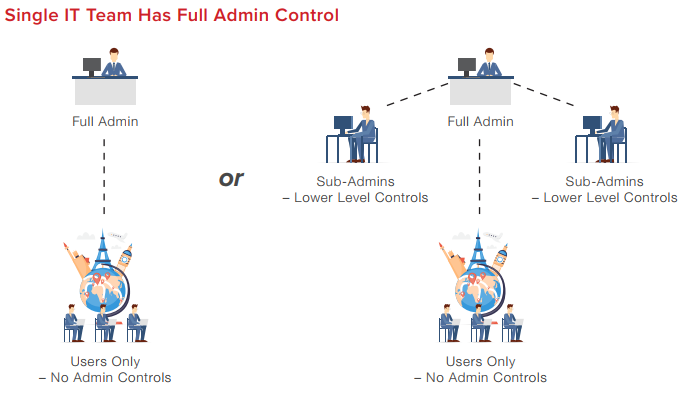
Administrator Controls

With eFax, you will always be in control of your faxing. The eFax Corporate Administrator Portal allows administrators to add new fax numbers, create new user profiles, keep track of all faxes, as well as easily troubleshoot any technical difficulties.

With the Administrator Portal, you can easily track, manage and control your faxing infrastructure from one, user-friendly interface.

The End of Busy Signals

You’ll no longer have to endure a ‘busy’ signal notification when you switch to online faxing. If by chance the recipient’s number is busy, eFax Corporate will automatically resend the fax until it successfully transmits.

If, for any reason, the transmission is stalled or paused, the sender will be notified and will receive a status report via email.

A Low-Cost Solution

Cloud faxing is surprisingly cost-effective for your business. Retiring your old faxing infrastructure means an end to replacing ink cartridges and paper, paying for expensive telephone lines and the high costs of maintaining fax servers.

Excellence in Cloud Faxing With eFax Corporate

eFax Corporate provides a competitive cloud-based fax service that enables businesses to grow, increase productivity and lower administrative costs, as well as ensure compliance with national security and privacy regulations and laws.

You don’t have to be an international player in the financial landscape to become an eFax Corporate customer. When your company joins eFax Corporate, you can securely share documents via fax and keep costs to a minimum whether you are a small, medium or large business.

If your company already has existing fax numbers, our team will assist you in switching them over to your eFax Corporate account, so you won’t need a new fax number. As the system functions completely online, there will be no need to purchase new equipment or install complex programmes. Instead, all you need to do to get started is sign in.

Signing up to an eFax Corporate cloud faxing account means you’ll be able to fax the same way you email. This simple solution will streamline communication processes while ensuring unparalleled security.

Interested in learning more about a cloud faxing solution? Call eFax Corporate and discover how internet faxing can benefit your business and enable you to fax more securely today.

How Cloud Faxing Benefits Pharmacies | eFax Corporate

If you’re involved in a pharmacy business, now is the time to assess the suitability of your pharmacy’s hardware and IT equipment and how it stands up to today’s internal and external data security threats.

Under the NHS Act, the Health and Social Care Act, the Data Protection Act and the Human Rights Act, it is the responsibility of healthcare organisations, including pharmacies, to prioritise the safeguarding of protected health information (PHI).

Operating in an industry that is still highly reliant on paper, pharmacies are particularly vulnerable to these threats. In terms of hardware and IT, the traditional fax is a perfect example of a widely used legacy technology that is placing patient data at risk.

Here, we present the fundamental risks that traditional fax machines pose for your pharmacy and why cloud faxing has emerged as the ideal alternative.

The Problem with Traditional Faxing for Pharmacies

Pharmacies across the UK receive a high volume of faxed prescriptions each day. And traditional fax machines often don’t meet the strict privacy guidelines and regulations set out by the NHS.

Printed documents are easily misplaced and important information often rests on top of the fax machine before being filed. It is not unheard of for a curious passer-by to glance at confidential documents and procure information that they should not have access to.

This type of ‘visual hacking’ should be a concern for any organisation which makes use of a traditional fax machine, particularly any business operating within the health industry.

To prevent unscrupulous eyes glancing at sensitive data, and to make sure your business is fully compliant with all privacy protocols, your pharmacy business should consider investing in cloud faxing as part of its next IT upgrade.

Cloud Faxing: Advantages for UK Pharmacies

Sensitive and private information is at the heart of pharmacy activity and hence, it is critical that you prioritise the implementation of secure communications tools. This is where cloud faxing solutions, like those provided by eFax Corporate, can take your business communications to the next level.

Pharmacies handle large volumes of inbound prescriptions by means of fax, particularly, for example, those that handle prescriptions from General Practitioners, hospitals, care homes or any health-related organisation. A system that allows for both a quick response to the prescription and data protection is key.

With such high volumes of incoming and outgoing faxes, you need a faxing infrastructure that is 100% reliable. Paper jams, busy signals and empty printer cartridges are regular pain points for pharmacy staff where a traditional fax machine is involved. All of these issues can be solved with cloud faxing.

The healthcare profession demands a high level of traceability, as it is important to know who has had access to your patients’ medical notes and prescriptions. Documentation must always be properly filed and made accessible to authorised personnel should queries arise.

That’s why the fax to email solution is so well-suited to businesses in healthcare, providing the convenience and speed of email with the security of analogue faxing.

How eFax Corporate Works for Your Business

With eFax Corporate on board as a fax service provider, your pharmacy will be able to send and receive faxes via email. When you sign up, you’ll be assigned a fax number or, if you have one already, you can switch this over to your new eFax Corporate account.

To send your first internet fax, open a new email message and type in your recipient’s fax number with the prefix “@efaxsend.eu”, e.g [email protected]. Next, simply attach the document that you wish to send and press the send button.

On the receiver’s side, your email attachment will arrive just like any other fax message with nothing to indicate that the fax was sent via email.

eFax Corporate’s secure paperless faxing service means that all of your messages and documents are protected by Transport Layer Security (TLS) encryption. This means that all correspondence is fully compliant with NHS Digital and other industry privacy standards.

The Day to Day Benefits of Internet Faxing

Since faxes are sent and received as email attachments when you use eFax Corporate, all of your business’ communications are automatically saved in the cloud. They cannot be deleted until you, or an authorised person does so.

This extra level of traceability and security means that all important information is safely saved in the cloud, and therefore isn’t prone to the glances of unauthorised passers-by.

Cloud faxing will immediately increase productivity for you and your colleagues as prescriptions, which are now received as email attachments, can immediately be viewed by multiple staff members. This ensures fast response times and that important orders are never missed.

UK-based CarePlus Pharmacy, which supports a network of almost 50 care homes, has increased efficiencies, productivity, and boosted revenue with internet faxing. Their story outlines how multiple staff members can now access faxed prescriptions from their computers as soon as the faxes arrive and as a result, CarePlus has improved the turnaround time for processing these prescriptions. Staff are now more productive since they fill more patient prescriptions on a daily basis. And because faxes are stored digitally online, the pharmacy has access to the faxes and they can retrieve them quicker should patient queries arise. This has resulted in faster response time and overall improved customer service.

With eFax Corporate, there is no paper involved and inbound faxes are archived and stored within the eFax portal. Faxes are easily accessible and can be retrieved simply by logging in.

Another advantage of eFax Corporate is that all transmissions receive a confirmation report, which is sent automatically. This offers the peace of mind that all faxes has been successfully sent to the recipient.

About eFax Corporate

eFax Corporate is a leading provider of cloud faxing services and has become a trusted fax partner for numerous high-profile businesses in the health and pharmaceutical industries. Our highly secure and compliant cloud fax service is sure to keep your business in line with NHS Digital and HIPAA regulations.

To learn more about eFax Corporate, and what it can do for your company, contact us today.